Showing posts with label 4.5-PKS: Ethics. Show all posts
Showing posts with label 4.5-PKS: Ethics. Show all posts
Monday, 6 October 2014

Friday, 2 May 2014
Assistive Technologies in Biology
ASsistive Technologies in Biology
Students with Cognitive Difficulties
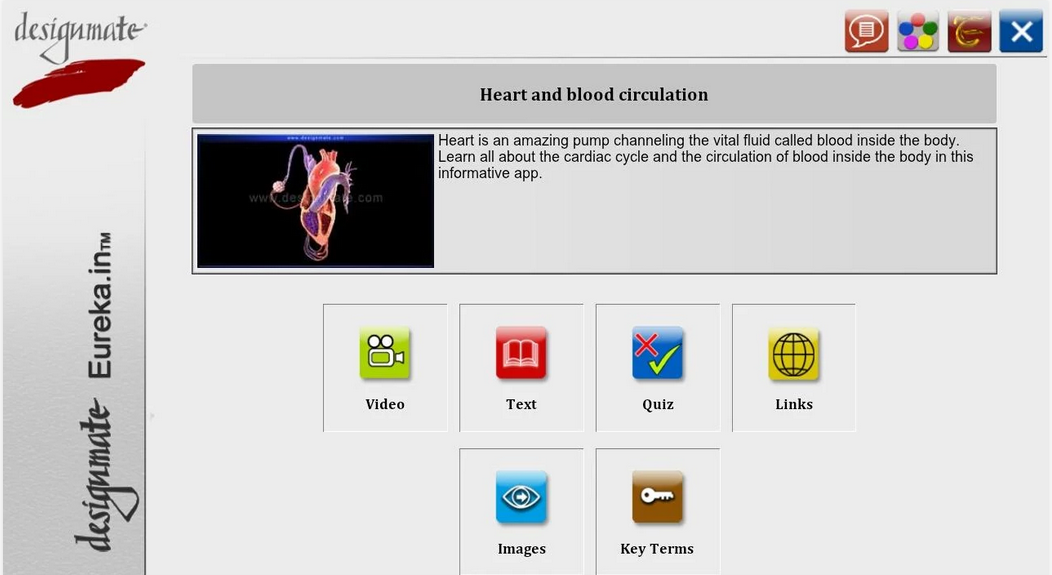
Apps such as Designmate’s Heart and Blood Circulation bring multimedia content, images, videos, screen readers, audio, quizzes with feedback, and key term glossaries together into one place. Students with cognitive processing difficulties can use the various media to enable them to access the biological content.

e-Bug is a digital learning environment that is animated and fun to navigate. Microbes are everywhere in the site and there are some very nice activities to do in and out of class. Quizzes and Games make this a great site for students with knowledge retention issues. The site is differentiated by the UK key stages; the earlier contact can be accessed by older students in order to help scaffold their knowledge.
Websites can be blocked, monitored for time, even keywords can be "turned off" during set times each day. If needed, you can set certain sites for time spent and add them to sets to block or unblock. Individuals that struggle to maintain concentration
Readers can control the text-to-speech in the books that MeeGenius is available for. The control offers students with processing disorders the chance to access the text at their own rate.
Students with Physical Difficulties
The virtual microscope benefits individuals with an array of difficulties. The site reads the the instructions and has a large image of a microscope that is easy to see. The instructions link with arrows and highlights to draw attention to the microscope. Individuals with limited movement but can access a mouse can learn to use the microscope.

Carolina’s digital microscopes have LED screens attached to the top of the device enabling the user to see the image of the slide without having to stand over the microscope; idea for wheelchair bound students. The microscope can be hooked up to a screen or projector to provide even larger viewing for those students who have trouble seeing the detail on the LED screen.
Google Voice allows students with motor skills impairments to access the search functionality of Google on a Chrome browser to enter search queries. The translation is remarkably accurate and is very fast.
Speak-It is a Chrome extension that reads multiple languages in male and female voices. German, French, Spanish, Italian, Russian, Chinese, etc.
This extension can be used for visually impaired individuals from these international backgrounds.
This extension could also be used to give Gifted and Talented language students listening tasks from native language web articles.
Students with Sensory Difficulties

Chromevox was developed by Google to provide accessibility tools native on the Chrome OS. It has a screen reader that can read single letters up to full paragraphs and is ideal for individuals with visual impairment. The speech can be altered in pitch and speed making the voice easier to listen to - lower pitch sounds older while higher sounds younger - the listener can choose the voice type they associate best with.
For unimpaired individuals that want to listen but can do so at a faster rate of speech, speeding up the speech can be achieved with this extension.
The page contains several links for webpage accessibility for the visually impaired. The page has been assessed at the highest level of high contrast colours.
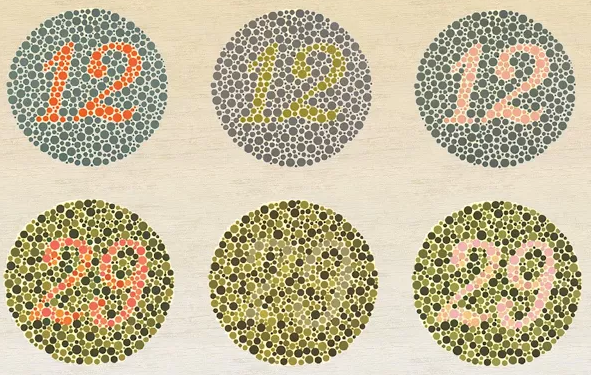
Daltonize is an extension that enhances colour contrast on webpages in order to allow colour blind individuals (tritanope, deuteranope and protanope) to tell the difference in colours. In the Biology class, this extension can also be used to simulate what colour blind individuals perceive; teachers can use the extension to develop material that use colours that work to generate the best contrast.
At-Risk Students
Careers

The ASPIRES site brings students into contact with careers in science. The lessons and activities are designed to give students the opportunity to see the possibilities beyond their immediate situation and motivate them to lift themselves out of their situation. The site has 11 case study lessons that help students take on the role of scientists.
Videos/TV shows and YouTube: Brainiac Science Abuse

There is much in science that cannot be replicated in the laboratory. Some Biology can be a bit “boring” and boredom can lead to misbehaviour by those students who, for whatever reason, are unable to focus in class. Targeted use of exciting media like Brainiac and Richard Hammond’s Miracles of Nature will help to allow troubled/at risk students focus and access the curriculum.
The N-Squad site by RICE university has a module on Alcohol and its effects on the body. This digital animated narrative can be used to engage students from lower socio-economic backgrounds that tend to resort to alcohol abuse. The site educates the learner enabling them to make informed choices in their real life. Alcohol, nicotine and other drugs are embedded in the National Curriculum for Key Stages 3, 4 and 5. While they are considered pastoral issues, the Biology teachers address the “mechanics” of the drugs in the Biology class.
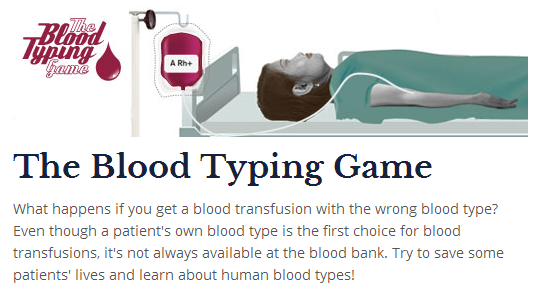
The Nobel prize site provides games and animations that students can use and play to follow in the footsteps of the Nobel Prize winners of the past. Some schools will not permit blood in the classroom which can make the topic of blood, which is potentially very interesting, rather boring. Interesting and engaging games such as those offered by NobelPrize.org may be just what the bored and distracted student needs to stay on task.
Zondle and IAmLearning

Zondle and IAmLearning are games platforms with Gamification and Games As Rewards mechanics built into them. Science and Biology lend themselves to the types of questions that are available in these platform and “At Risk” students may find these mechanics engaging, allowing them to access the curriculum in a fun way. Students may not realise they are learning while they play and the quizzes record and report to the teachers the students progress avoiding the need for stressful summative tests.
Gifted and Talented Students
Speak-It is a Chrome extension that reads multiple languages in male and female voices. German, French, Spanish, Italian, Russian, Chinese, etc.
This extension could be used to give Gifted and Talented language students listening tasks from native language web articles. It could also be used to assist students in their learning in a second language medium as the voices mimic stereotypical accents well for the language; assisting in the pronunciation of the written word.

This website provides engaging and challenging biology content including simulations, and videos, and online lab activities. Students with strong independent learning skills can access content from Stem Cells to Pharmacogenomics - the activities extend the classroom and allow G+T students take their studies to a university standard thus enhancing their breadth of knowledge at A-Level.
Sunday, 20 April 2014
Privacy, Permissions and Digital Footprints
I have read many Acceptable Use and Social Media Policies and they come in various degrees of strictness and completeness. I believe that there needs to be a set of rules that are followed but also that everyone "buys in" to the concept of the policy and the guidelines within. I have recently developed a set of guidelines for the use of Google Apps for Education for my students. I presented them to a target group and have asked that they review them and discuss any improvements or to let me know if they are too strict; this has generated very positive feedback about the guidelines from my students. The policy below is for teachers. It was created as part of a collaboration so it encompasses input from perspectives that my teachers may not feel is right for them. I will request that my teachers are given time to review the content of any policy/guidelines as I have with my students since they are more likely to abide by the rules if they write them!
Sunday, 9 March 2014
Strategic Change Models: Educational Technology Goal
For the Educational Technology Goal project I have created an integration plan for a real e-Portfolio project. The task required that I identify obstacles to success; these are inferred in the design.
The Google Sites ePortfolio for Target Setting and Enrichment activities will be designed, trialled and implemented for Year 10 students by the end of Term 3, 2014.
The flowchart below outlines the individuals and groups with a stake in the success of the implementation of this new system. Adherence to the timeframes outlined will be essential to the success of the implementation of the ePortfolio for the Key Stage (Year 10 and 11) for the start of the next academic year.
Sunday, 2 March 2014
Strategic Change Models: Concerns Based Adoption Model
As a technology integrator and "sometimes" systems analyst and designer, I need to make sure that the systems and technology I try to bring to bear on my teachers work. I have used Roger's Diffusion of Innovations model already in the use of our VLE, the spreading of Google Apps For Education and the use of iPads in my school.
I have not used the Concerns Based Adoption Model, so this was interesting and really very useful. I wish I had the time in my timetable to speak with every member of staff on a one-to-one basis like I did for this task.
Teacher Profile and Concerns Based Adoption Model
I thoroughly enjoyed doing this task. "Ms Rivers" is a pseudonym for one of my colleagues and she has since read the report I have presented here. It was good to sit with her and go through the Concerns Based Adoption Model as it allowed me to put into context some of the language of the questions, but also to remind her that she has done a great deal of IT in the time that I have known her; sometimes people need to hear that they are doing a good job! Ms Rivers was surprised by my report but when I explained my thinking to her she had to agree!Sunday, 16 February 2014
Today's Customers
This artifact demonstrates an understanding of where users are and how to move them forward in their use of new technologies. Link to the published Piktochart here.
Monday, 10 February 2014
Acceptable Use Policies
My school is on the verge of releasing Google Apps for Education accounts to our students and this blog post falls at a time when I am involved in developing a Acceptable Use Policy (AUP) for the use of Google+ and Twitter. It has been interesting reading the definitions of what an AUP is and how older AUPs differ from the broader scoped statements that aim to include social media. ISafe (n.d.) quote a Classroom Connect article from January 1994 that defines what an AUP is:
Chris McCaffrey, a contributor on a Google Apps for Education G+ community answered my request for a social media AUP that would be appropriate for G+; he posted a link to the Wilson School District Social Media Guidelines: http://goo.gl/xFdFP3 (The fact that I used a "social learning network" to acquire this resource points to the power of the media.) "These guidelines are for the use of social media in the classroom and are for the staff and the students. I particularly like that the wording is positive but firm. It gives advice and guidance without being over the top and reminds the users of e-safety and digital literacy principles.
Steve Johnson wrote on his blog:
Continuing along the road of positive tone and Google Apps, The Central Union Elementary School District's AUP is another example of how Google Apps is introduced to the community and focuses more on netiquette, and the appropriate use of the software. The document is a contract and is written in the first person with the student and parent signing at the bottom. Statements such as "I will respect the collaborative work of my teachers and peers. In other words, I will not delete the work of others unless I have their permission." are agreed to along with statements regarding copyright and fair use. The final paragraph of this AUP is particularly nice as it outlines that the family will discuss the rules and expectations; this is agreed to by the parents.
At a recent conference on 21st Century Learning in Hong Kong, I had the privilege of listening to George Couros in his session on Connected Learning. George is a learning technology director for several districts and is a huge advocate of using Twitter in the classroom and the community. He asked the attendees how many were in charge of recruitment; 80% raised their hands. He then asked how many of these recruiters Googled the applicants; all kept their hands up. This behaviour is becoming normal for recruiters and it is important that we as educators not only prepare our students for this but prepare ourselves.
How is AUP constructed?
Steven Anderson published "How to Create Social Media Guidelines For Your School" on Edutopia. He outlines the process by which a school should develop their policy:
References:
Anderson, S. (n.d.) How To Create Social Media Guidelines For Your School. Retrieved from: http://www.edutopia.org/pdfs/edutopia-anderson-social-media-guidelines.pdf
Bangkok Patana School (2009). Acceptable Use Policy. Retreived from: http://www.patana.ac.th/Go/laptops_For_Learning/Information.asp?ID=448
Central Union Elementary School District. (n.d.) Student Code of Conduct of Google Applications. Retrieved from: http://www.central.k12.ca.us/UserFiles/Servers/Server_4550549/File/technology/Central_Google_aup.pdf
Harry Stone Montessori (n.d.). Acceptable Use Policy. Retrieved from: http://www.dallasisd.org/Page/22945
iSafe (n.d.). Why Do Schools Need Aceeptable Use Policies? Retrieved from: http://www.isafe.org/imgs/pdf/education/AUPs.pdf
Johnson, S. (2010). Guest Blog: Making the Case for Social Media in Education. Retrieved from: http://www.edutopia.org/social-media-case-education-edchat-steve-johnson
K12Wiki (n.d.). Social Networking Acceptable Use. Retrieved from: http://k12wiki.wikispaces.com/Social+Networking+Acceptable+Use
Lepi, K. (2012). Crowdsourced School Social Media Policy Now Available. Retrieved from:
http://www.edudemic.com/school-social-media-policy/
The Alice Smith School (2012). Learning Technologies Handbook. Retrieved from: http://www.frogklass.edu.my
Wilson School District (n.d.). Wilson School District Social Media Guidelines. Retrieved from: http://goo.gl/xFdFP3.
"An AUP is a written agreement, signed by students, their parents, and teachers, outlining the terms and conditions of Internet use. It specifically sets out acceptable uses, rules of on-line behavior, and access privileges. Also covered are penalties for violations of the policy, including security violations and vandalism of the system."My school's AUP (not in the public forum) has been written to cover the elements of inappropriate use of the system and sets out the repercussions of being found to break the rules. The policy aims to be positive in its tone and refers to classroom lessons when students will be educated on appropriate etiquette and netiquette. Certainly, the pastoral team at my school has embarked on a collaborative push with the librarians and other learning technologists to educate our students in digital literacy. The policy also outlines the school's stance on social media but only insofar as to state that the use by the students was allowable if given permission by a teacher. Another international school in the region, Bangkok Patana School, has created a full portal that educates its K-12 students in appropriate use of electronic resources from email to printing. Patana link their portals to the age-relevant Police websites in the UK, CEOP, and go one step further in creating Facebook profiles that would be considered inappropriate for their students to have discussions about.
Chris McCaffrey, a contributor on a Google Apps for Education G+ community answered my request for a social media AUP that would be appropriate for G+; he posted a link to the Wilson School District Social Media Guidelines: http://goo.gl/xFdFP3 (The fact that I used a "social learning network" to acquire this resource points to the power of the media.) "These guidelines are for the use of social media in the classroom and are for the staff and the students. I particularly like that the wording is positive but firm. It gives advice and guidance without being over the top and reminds the users of e-safety and digital literacy principles.
Steve Johnson wrote on his blog:
"inside the vast majority of our school walls, social media tools are blocked and filtered. Why? In #edchat, the general consensus for the answer to this question revolved around fear - fear of cyberbullying and inappropriate use by students. Many blamed the media for blowing the negative out of proportion. In light of these fears, @benpaddlejones summed up exactly where we need to shift in the coming years: We need to stop talking cyberbullying and start talking cybercitizenship. Flip to the positive."This is the positive tone I read in my school's AUP, Bangkok Patana's and Wilson District's AUP's. It is a realisation that as educators, we cannot put social media back in a box; it is already an integral part of our students' lives. It is our job to model appropriate use of social media and guide our communities in the difference between professional and personal social media usage and how to ensure we protect ourselves. Another good example of positive tone is the Harry Stone Montesorri school's Google Apps AUP. Their policy begins by outlining what Google Apps can be used for and why the students should be using them. The policy then leads into acceptable use and behaviour that isn't permitted, safety, consumer safety, digital citizenship and finally and section on the law; CIPA, COPPA and FERPA. I like that they include links to the law as it makes the user realise that the restrictions being imposed aren't just by the school, but by society. My school's AUP refers to Malaysian law but does not specify which laws the document is refering to.
Continuing along the road of positive tone and Google Apps, The Central Union Elementary School District's AUP is another example of how Google Apps is introduced to the community and focuses more on netiquette, and the appropriate use of the software. The document is a contract and is written in the first person with the student and parent signing at the bottom. Statements such as "I will respect the collaborative work of my teachers and peers. In other words, I will not delete the work of others unless I have their permission." are agreed to along with statements regarding copyright and fair use. The final paragraph of this AUP is particularly nice as it outlines that the family will discuss the rules and expectations; this is agreed to by the parents.
At a recent conference on 21st Century Learning in Hong Kong, I had the privilege of listening to George Couros in his session on Connected Learning. George is a learning technology director for several districts and is a huge advocate of using Twitter in the classroom and the community. He asked the attendees how many were in charge of recruitment; 80% raised their hands. He then asked how many of these recruiters Googled the applicants; all kept their hands up. This behaviour is becoming normal for recruiters and it is important that we as educators not only prepare our students for this but prepare ourselves.
How is AUP constructed?
Steven Anderson published "How to Create Social Media Guidelines For Your School" on Edutopia. He outlines the process by which a school should develop their policy:
- Examine your school culture,
- Organise a team,
- Research Phase,
- Draft your document and incorporate feedback,
- Make sure the Attorney and School Board see the draft,
- Introduction to the school,
- Review periodically.
Steven provides links to resources to assist in the production of an AUP for social media. However, Katie Lepi (2012) lead the production of "The School Social Media & Acceptable Use Policy" which was crowdsourced. The document provides guidelines and an acceptable use policy and both are written in the positive tone I prefer and would seem to be a very strong starting point for any school's policy. Lepi's policy covers the law, email, devices, netiquette, plagiarism, personal safety, cyberbullying, examples of acceptable use and unacceptable use.
A combination of Anderson's guidelines and Lepi's crowdsourced AUP should get my G+ and Twitter guidelines drawn up swiftly.
References:
Anderson, S. (n.d.) How To Create Social Media Guidelines For Your School. Retrieved from: http://www.edutopia.org/pdfs/edutopia-anderson-social-media-guidelines.pdf
Bangkok Patana School (2009). Acceptable Use Policy. Retreived from: http://www.patana.ac.th/Go/laptops_For_Learning/Information.asp?ID=448
Central Union Elementary School District. (n.d.) Student Code of Conduct of Google Applications. Retrieved from: http://www.central.k12.ca.us/UserFiles/Servers/Server_4550549/File/technology/Central_Google_aup.pdf
Harry Stone Montessori (n.d.). Acceptable Use Policy. Retrieved from: http://www.dallasisd.org/Page/22945
iSafe (n.d.). Why Do Schools Need Aceeptable Use Policies? Retrieved from: http://www.isafe.org/imgs/pdf/education/AUPs.pdf
Johnson, S. (2010). Guest Blog: Making the Case for Social Media in Education. Retrieved from: http://www.edutopia.org/social-media-case-education-edchat-steve-johnson
K12Wiki (n.d.). Social Networking Acceptable Use. Retrieved from: http://k12wiki.wikispaces.com/Social+Networking+Acceptable+Use
Lepi, K. (2012). Crowdsourced School Social Media Policy Now Available. Retrieved from:
http://www.edudemic.com/school-social-media-policy/
The Alice Smith School (2012). Learning Technologies Handbook. Retrieved from: http://www.frogklass.edu.my
Wilson School District (n.d.). Wilson School District Social Media Guidelines. Retrieved from: http://goo.gl/xFdFP3.
Sunday, 15 December 2013
Grant 1.4 - Final
The final grant proposal has developed from a series of submissions and reviews of each section of the proposal document. The feedback from the instructor has led to continuous revisions leaving this final document requiring little revision from the previous draft; I am pleased with the result.
This document is an example of whole school technology integration and represents a final artifact for the School Technology Coordination certificate. It represents professional knowledge and the skills of writing grant proposals for a particular audience. The evaluation plan highlights elements of assessing and evaluating learning goals with the collaborative support of subject matter experts.
Tuesday, 11 June 2013
AECT Standards 2012: Professional Knowledge and Skills
AECT Standard 4 - Professional Knowledge and Skills:
Candidates design, develop, implement, and evaluate technology-rich learning environments within a supportive community of practice.
Indicators:
• Collaborative Practice - Candidates collaborate with their peers and subject matter experts to analyze learners, develop and design instruction, and evaluate its impact on learners.
• Leadership - Candidates lead their peers in designing and implementing technology-supported learning.
• Reflection on Practice - Candidates analyze and interpret data and artifacts and reflect on the effectiveness of the design, development and implementation of technology-supported instruction and learning to enhance their professional growth.
• Assessing/Evaluating - Candidates design and implement assessment and evaluation plans that align with learning goals and instructional activities.
• Ethics - Candidates demonstrate ethical behavior within the applicable cultural context during all aspects of their work and with respect for the diversity of learners in each setting.
NOTE: Parenthetical page references are to Educational Technology: A Definition with Commentary (2008, A. Januszewski & M. Molenda, Eds., Lawrence Erlbaum Assoc.)
Subscribe to:
Posts (Atom)